#1
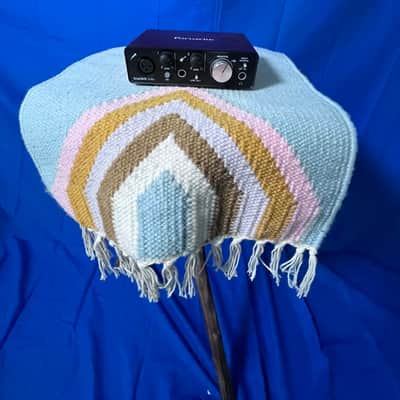
Focusrite Scarlett 2i2 (4th Generation)
2-in/2-out USB audio interface · Two XLR/instrument combo inputs, two line outputs, Scarlett preamp, USB-powered, 192 kHz support, Mac/Windows$140–$170 newBest for: Most flexible input count under $200, industry standard, guitar + vocals, Scarlett preamp quality
The Focusrite Scarlett 2i2 is the most popular USB audio interface in the $100–$200 range — Focusrite's Scarlett preamp is known for a warm, slightly colored tone that sounds good on vocals out of the box, and the 2i2 has two combo inputs (XLR for microphones, 1/4" for instrument cables, switchable via rear panel). The 4th generation added lower latency (USB 3) and improved converters. Bus-powered via USB (no AC adapter needed), supports 192 kHz, and includes audio software bundles. New at $140–$170.
What to check used: The Focusrite preamp's warmth is intentional but not neutral — some engineers prefer flatter converters (MOTU M2, Steinberg UR22C). At $140–$170, the Scarlett 2i2 is not the cheapest interface (Behringer UMC202HD is $50 cheaper) but has wider adoption and better resale value. The two inputs cannot record both microphone and instrument simultaneously if you need simultaneous recording; PreSonus AudioBox iTwo is better for that.
#2
PreSonus AudioBox iTwo Studio
2-in/2-out USB audio interface · Two switchable XLR/instrument inputs with phantom power, stereo line inputs, USB-powered, 192 kHz, Studio One Artist included$150–$180 newBest for: Two simultaneous mic/instrument inputs, PreSonus Studio One Artist DAW included, phantom power on both channels
The PreSonus AudioBox iTwo improves on its predecessor by including phantom power on BOTH microphone inputs (previous versions had phantom power on only one), allowing you to use two condenser microphones simultaneously for stereo recording or multiple instruments. Two line inputs on the back support keyboards, synths, or stereo mics via adapter cables. Includes PreSonus Studio One Artist (DAW with unlimited tracks and built-in mixing tools). New at $150–$180.
What to check used: PreSonus Studio One has a smaller user base than Ableton Live Lite or Pro Tools Artist — fewer third-party plugins and less online tutorial availability. The preamp is more transparent/neutral than Focusrite (some engineers prefer the added warmth of Scarlett). Dual phantom-powered inputs are less important unless you plan to record two condenser microphones simultaneously.
#3
Behringer U-Phoria UMC202HD
2-in/2-out USB audio interface · Two XLR/instrument combo inputs with phantom power, Midas preamp, USB-powered, 192 kHz support, REAPER DAW trial included$99–$130 newBest for: Best budget option under $200, Midas preamp comparable to $500+ interfaces, maximum value for money
The Behringer U-Phoria UMC202HD is the most affordable professional-quality audio interface — Behringer licensed the Midas console preamp circuit (used in high-end mixing consoles) for the preamp. Comparing blind audio tests, the UMC202HD converters are indistinguishable from interfaces costing $300–$500. Two XLR/instrument inputs, both with phantom power for condenser mics. USB-powered, 192 kHz, supports Mac and Windows. Behringer's reputation is 'budget brand,' but the sound quality is objectively excellent. New at $99–$130.
What to check used: Behringer brand carries a stigma in professional audio circles ('budget,' 'knockoff') despite objective audio quality being excellent. The included preamp color is slightly more forward/present in the midrange compared to neutral interfaces — some prefer this, others find it colored. Build quality is reliable but not premium; the knobs feel slightly less solid than Focusrite or PreSonus.
#4
Steinberg UR22C
2-in/2-out USB audio interface with MIDI · Two combo XLR/instrument inputs, two balanced line outputs, MIDI I/O, Quantum audio converters, USB-powered, Cubase AI included$160–$190 newBest for: Professional audio converters, MIDI I/O for keyboard/pad control, Cubase AI DAW included, balanced line outputs
The Steinberg UR22C uses Presonus Quantum audio converters — converters that appear in professional studios costing $3,000–$5,000. The audio quality is transparent, neutral, and built for mastering-grade recording. Unlike the Focusrite (warm) or Behringer (forward), the UR22C is objectively neutral across the frequency spectrum. MIDI I/O allows controlling software instruments or drum pads. Balanced XLR line outputs are professional-grade (not simple headphone outputs). Includes Cubase AI DAW (subset of professional Cubase with unlimited tracks). New at $160–$190.
What to check used: The Steinberg UR22C is at the top of the $200 budget — cheapest premium option. The value proposition is the professional converters and Cubase AI. If you do not use MIDI or Cubase, you are paying for features you do not need; Focusrite Scarlett 2i2 at $140 is better value if you only need mic/guitar recording.
#5
MOTU M2
2-in/2-out compact USB audio interface · Two XLR/instrument combo inputs, bus-powered, Protools First included, 24-bit/96 kHz, ultra-compact design$130–$160 newBest for: Compact size, included Pro Tools First (industry-standard DAW), neutral audio converters, travel-friendly
The MOTU M2 is a compact 2-in/2-out interface smaller than competitors, bus-powered, and includes Pro Tools First (Avid's entry-level DAW, the industry standard for professional recording studios). The audio converters are transparent and neutral-sounding. The compact size makes the M2 ideal for travel recording or space-limited desks. MOTU (Mark of the Unicorn) is known for rock-solid reliability and professional-grade hardware. New at $130–$160.
What to check used: The MOTU M2 does not support 192 kHz (maxes at 96 kHz) — this is sufficient for 99% of recording but falls short of high-resolution recording standards. Pro Tools First is free but cloud-storage dependent (requires PACE authorization); offline use requires a subscription. Fewer professional features than full Pro Tools, but excellent for learning.
#6
Arturia MiniFuse 2
2-in/2-out compact USB audio interface · Two XLR/instrument combo inputs, built-in sound engine, preset library, bus-powered, 192 kHz, compact tabletop design$140–$170 newBest for: Built-in sound engine and synth presets, ultra-compact design, USB-C connection, creative preset library
The Arturia MiniFuse 2 is unique among interfaces — it includes a built-in sound engine with hundreds of instrument presets (synths, drums, effects). The presets are created by Arturia, a respected soft-synth company, and are high-quality starting points for music production. The interface itself is compact and USB-C powered (newer connection standard than older USB-B). Two combo inputs for microphone/guitar recording. The sound engine can add processing and effects in real-time. New at $140–$170.
What to check used: The built-in sound engine is creative but not essential — if you do not use soft synths, you are paying for features you do not need. The MiniFuse 2's advantage is for electronic music producers and synth enthusiasts, not for traditional recording (vocals, guitar, acoustic). MIDI control is supported but MIDI I/O ports are NOT included (unlike Steinberg UR22C).
#7
SSL 2
2-in/2-out USB audio interface · Two XLR/instrument combo inputs, SSL 4000E preamp emulation, headphone output with volume control, bus-powered, 24-bit/96 kHz$180–$200 newBest for: SSL console preamp character, professional SSL brand heritage, excellent preamp coloration for vocals
SSL (Solid State Logic) makes the most expensive mixing consoles in the world (SSL 9000E = $500,000+). The SSL 2 emulates the SSL 4000E console preamp circuit — giving you the same preamp character and compression that appears on classic rock records from the 1980s. The SSL 2 preamp adds subtle warmth and natural compression to vocals and guitars. For engineers who specifically want the SSL console sound on a budget, the SSL 2 delivers that character at $180–$200. The SSL brand is respected worldwide in professional studios.
What to check used: The SSL 2 is more expensive than equally neutral interfaces (MOTU M2, Steinberg UR22C) — the premium is for the SSL preamp character. The SSL 4000E emulation is subtle; if you are recording rock/pop and want aggressive console color, consider tube preamps or analog outboard gear instead. The SSL 2 maxes at 96 kHz (not 192 kHz like some competitors).