#1
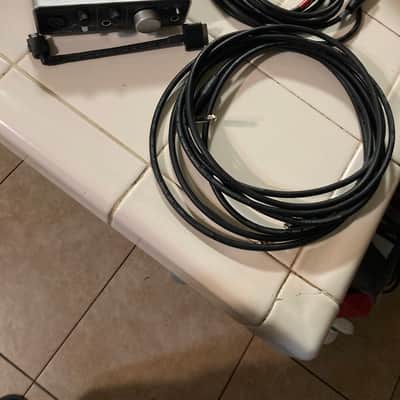
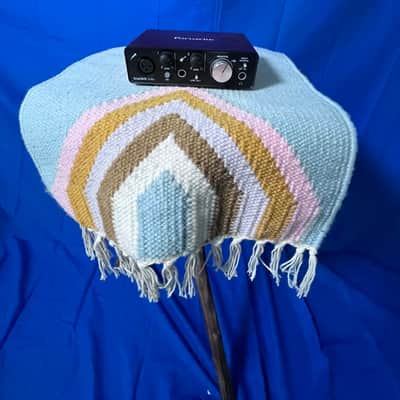
Focusrite Scarlett Solo (3rd Gen)
USB audio interface (1-in, 1-out) · 1 mic preamp, 1 instrument input, 24-bit/192kHz, USB-C, 56dB gain range, bus-powered$110–$140 new / $70–$100 usedBest for: Single vocalist or solo instrumentalist, best beginner audio interface, solo recording
The Focusrite Scarlett Solo is the most widely used beginner audio interface in home recording. It connects a microphone (XLR) and an instrument (guitar/bass via 1/4" input) to a computer via USB-C. Focusrite preamps are widely praised for their clean, transparent sound quality at this price point. The included Focusrite Hitmaker Expansion software bundle (Ableton Live Lite, Antares Auto-Tune, other plugins) adds significant value. Used at $70–$100.
What to check used: The Scarlett Solo has only one microphone preamp — if you need to record two microphones simultaneously (two vocals, microphone + instrument for acoustic guitar), upgrade to the Scarlett 2i2 (two preamps, $150-180 new). The Solo is the right choice for solo recording only.
#2
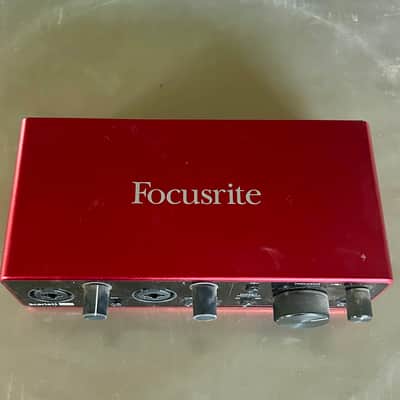
Focusrite Scarlett 2i2 (4th Gen)
USB audio interface (2-in, 2-out) · 2 mic preamps, 2 instrument inputs, 24-bit/192kHz, USB-C, Auto-Gain feature, bus-powered$170–$200 new / $110–$150 usedBest for: Two-instrument or vocal+guitar recording, podcasting, most versatile beginner interface
The Scarlett 2i2 is the most versatile beginner interface — two independent microphone/instrument inputs allow recording two sources simultaneously: acoustic guitar mic + vocal, two vocals for harmonies, bass amp mic + direct input. The 4th Gen adds Auto-Gain (measures input level and sets optimal gain automatically). At $170–$200 new, the 2i2 is the starting point for most home studio setups that need more than a single input.
What to check used: The 2i2 does not have separate headphone volume control from the monitor output — the headphones and monitors share the same volume control (though there's a separate blend for DAW monitoring vs direct input). For advanced monitoring setups, higher-tier interfaces provide more routing flexibility.
#3
Audio-Technica AT2020
Large-diaphragm condenser microphone · Large diaphragm, cardioid polar pattern, 20Hz-20kHz, 149dB SPL max, requires 48V phantom power$90–$130 new / $60–$90 usedBest for: Best budget studio condenser mic, vocal recording, acoustic guitar, podcast, home studio
The AT2020 is the most recommended first studio microphone — an entry-level large-diaphragm condenser that sounds significantly better than dynamic microphones for studio vocal recording in a controlled (quiet) environment. The AT2020 captures more detail and presence than the SM58 or SM57 for studio use, which is appropriate for home recording where acoustic treatment controls the room. Compatible with the Focusrite Scarlett (requires 48V phantom power, which the Scarlett provides). Used at $60–$90.
What to check used: The AT2020 is a condenser microphone — it is more sensitive to room sound than dynamic microphones (SM57, SM58). Recording in an untreated room will capture room reflections and ambient noise more readily than a dynamic mic. Basic acoustic treatment (recording in a closet, using acoustic foam panels) significantly improves condenser mic results in home environments.
#4
Shure SM7B
Dynamic broadcast microphone · Dynamic cardioid, internal shock mount, bass rolloff/presence boost switches, 50Hz-20kHz, requires preamp gain$360–$400 new / $250–$320 usedBest for: Podcast, broadcast, vocals in untreated rooms, premium dynamic mic for home recording
The Shure SM7B is the industry-standard broadcast and podcast microphone — used by Joe Rogan, Michael Jackson (Thriller), and countless professional broadcasters. The SM7B's dynamic capsule (less sensitive than condensers) rejects room noise effectively, making it ideal for home recording in spaces without acoustic treatment. The SM7B requires significant preamp gain (60dB) — verify your interface can provide adequate gain (Focusrite 4th gen pres can drive it but at near-maximum gain; an in-line preamp like the Cloudlifter adds 25dB). Used at $250–$320.
What to check used: The SM7B requires approximately 60dB of clean preamp gain to operate properly. Budget interfaces may not provide this without introducing preamp noise. The Cloudlifter CL-1 ($140) is a passive gain booster (uses phantom power to add 25dB) that allows driving the SM7B cleanly from budget interfaces. This is a known requirement, not a surprise — factor it into the total setup cost.
#5
Yamaha HS5 (pair)
Studio monitor speakers · 5-inch woofer, 1-inch tweeter, bi-amplified, 54W LF + 45W HF, XLR/TRS balanced input, flat response$420–$500 new (pair) / $280–$380 used (pair)Best for: Best home studio monitors, accurate flat response, professional mixing reference, HS series legacy
The Yamaha HS5 (the 5-inch model in the HS series) is the most common entry-level professional studio monitor. Studio monitors are designed for flat frequency response — they reproduce audio accurately without boosting bass or highs like consumer speakers. Mixing on accurate monitors produces mixes that translate well to other systems. The HS series is used in professional studios as secondary reference monitors. For mixing music at home, the HS5 pair is the starting point for professional-level monitoring. Used pair at $280–$380.
What to check used: The HS5's 5-inch woofer reaches approximately 54Hz — adequate for most mixing but limited for bass and kick drum assessment. For producers working with bass-heavy music, the HS8 (8-inch, $600/pair new) provides more low-end accuracy. In treated rooms, a subwoofer paired with the HS5 fills the low-end gap.
#6
Logic Pro X
Digital Audio Workstation (DAW) · Mac-only DAW, $199.99 one-time purchase, includes Flex Pitch, Flex Time, Space Designer reverb, 70+ instruments$200 new (Mac only)Best for: Best DAW for Mac home studios, professional tools at one-time price, GarageBand upgrade path
Logic Pro X is the professional Mac DAW — the same software used by professional producers at a one-time $200 purchase (no subscription). Logic includes professional-grade plugins (Alchemy synth, Space Designer convolution reverb, Flex Pitch vocal pitch correction, Drummer virtual drummer), 70+ instruments, and an enormous Apple Loops library. For Mac users, Logic is the most recommended DAW for home recording because the value is extraordinary. GarageBand (free on Mac) is a Logic-lite that shares the same workflow — producers who have used GarageBand can upgrade to Logic without relearning the interface.
What to check used: Logic Pro is Mac-only — Windows users need Ableton Live, Reaper, or Cubase. Logic's included plugin quality is excellent but the workflow requires learning time; the learning curve is approximately 20-30 hours to reach productive recording proficiency. Reaper ($60 for personal use) is the best cross-platform alternative at a fraction of the cost.
#7
Auralex Acoustics ProPanel
Acoustic treatment panels · 2-inch thick 2x2 foot panels, 2.0 NRC, professional acoustic foam, includes mounting hardware$25–$35 per panel (Auralex brand)Best for: Acoustic treatment for recording spaces, reducing room reflections, improving condenser mic results
Acoustic panels are the most impactful upgrade for home recording quality that is frequently overlooked. Untreated rooms produce reflections that smear the stereo image, create frequency buildups, and make mixes difficult to translate to other systems. Covering the first reflection points (side walls, rear wall) with 2-4 acoustic panels reduces early reflections. Budget approach: egg crate foam, heavy moving blankets, or recording in a closet full of clothes all provide acoustic dampening at minimal cost.
What to check used: Acoustic treatment is separate from soundproofing — acoustic panels reduce reverberation inside the room but do not prevent sound from escaping through walls. Mass (thick drywall, mass loaded vinyl) reduces sound transmission; foam panels absorb high frequencies inside the room. Most home studios need acoustic treatment for mix accuracy, not soundproofing.