#1
Rode NT1 Microphone + Focusrite Scarlett Solo Bundle
XLR Condenser + USB Interface · Rode NT1 (cardioid condenser), Scarlett Solo 2×2 USB interface, XLR cable, windscreen$150–$250 usedBest for: First podcast setup, upgrading from USB mic, future-proof path
The industry standard entry bundle. Rode NT1 is warm-sounding, Scarlett Solo is rock-solid. This combination gives you professional XLR recording without breaking the bank. Future upgrade path: buy a second mic or better preamp later without replacing either piece.
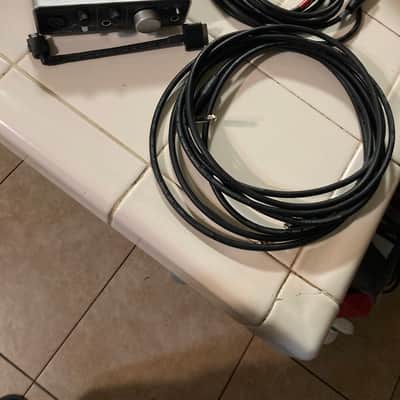
What to check used: Requires USB power from computer. Windows drivers sometimes need manual install (Mac is plug-and-play). XLR cable quality matters—most bundles include basic cables; upgrade to a Mogami or Canare cable (~$15) for noise-free runs over 10 feet.
#2
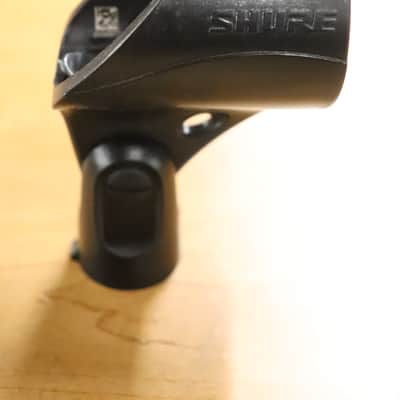
Shure MV7
Hybrid USB/XLR Dynamic · Dual USB + XLR output, cardioid dynamic, built-in limiter, touch mute, 50Hz–16kHz$180–$300 usedBest for: Solo podcasters, remote interviews (works on Zoom USB), all-in-one simplicity
The "one mic to rule them all" for podcasters. Works USB out-of-box (no interface needed), but XLR out available if you upgrade to interface later. Touch mute is essential when recording interviews. Excellent proximity effect (thick, warm voice).
What to check used: Dynamic mic—you need closer placement than condensers (2–4 inches ideal). Gain staging is critical; watch your input levels. MV7+ (newer model) is not significantly better for podcasting; original MV7 still excellent for recording.
#3
Audio-Technica AT2020 + Audient iD4 Nano Bundle
XLR Condenser + Compact Interface · AT2020 XLR, Audient iD4 Nano (2×2 USB interface), XLR cable, shock mount$200–$320 usedBest for: Podcast perfectionists, music producer crossover, spatial audio recording
AT2020 is studio-grade warmth. Audient iD4 Nano is built by pro audio engineers (not gaming companies)—pristine preamps, zero noise floor. Compact form factor fits tight desk setups. Best technical quality bundle under $400.
What to check used: Audient interface has fewer inputs than Scarlett Solo (1 instrument + 1 mic vs. 2 line). Fine for single-mic setups; interview recording requires mic splitter or second input. Preamps are audiophile-level sensitive—gain staging mistakes are audible.
#4
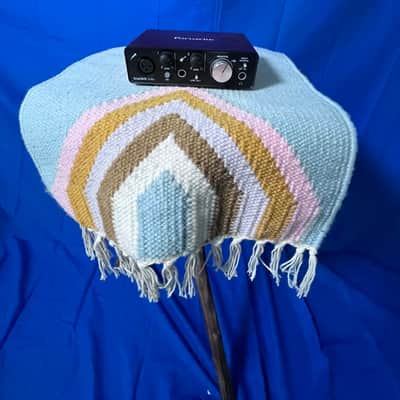
Samson Q2U + Focusrite Scarlett Solo Budget Bundle
Hybrid USB/XLR Dynamic + Interface · Samson Q2U (dual USB/XLR), Focusrite Scarlett Solo, XLR cable, mic stand clip$100–$160 usedBest for: Ultra-budget starters, podcasters testing the waters, home recording students
Cheapest legitimate path to professional podcasting. Q2U's hybrid design means you can start USB (no interface), then add Scarlett Solo when budget allows. Both pieces are upgradeable independently. No forced ecosystem lock-in.
What to check used: Q2U is dynamic—needs close talking (3–4 inches). Combined with budget-tier Scarlett preamp, proximity is critical to avoid thin sound. Upgrade trajectory: replace Q2U with Rode NT1 or AT2020 later; keep Scarlett Solo.
#5
PreSonus AudioBox Studio Complete Podcast Bundle
Condenser Mic + Compact USB Interface + Software · PreSonus AudioBox, condenser mic, Studio One recording software (lite), monitor headphones, XLR cables$120–$200 usedBest for: All-in-one starter, included software value, podcasters who want editing software bundled
PreSonus bundles their own condenser mic with AudioBox interface and Studio One software. Editing software is often a separate $100+ purchase, so bundling it here saves money. Good for podcasters who don't already own DAW software.
What to check used: Bundled condenser mic is generic (not Rode, not AT2020 quality). Upgrade path: replace the bundled mic with Q2U or Rode NT1, keep the interface and software. Studio One Lite has basic editing but limited plugin ecosystem compared to Adobe Audition or Reaper.
#6
Rode Wireless GO II + Rode Lav Mic Interview Bundle
Wireless Lavalier System + Mobile Recording · Wireless GO II transmitter (clip-on), lavalier mic, rechargeable USB receiver, 3.2mm adapter for phones/cameras$200–$320 usedBest for: Interview podcasters, on-location recording, video content creators, hands-free remote guests
Game-changer for interview podcasts. Guest wears clip-on transmitter (no desk mic needed), you stay mobile. Lavalier rejection is excellent (blocks out room noise). USB receiver works on phone, camera, or computer—true versatility. Seamless for Zoom interviews.
What to check used: Not a complete bundle (you still need a computer/recorder). Intended to replace guest's desk mic, not eliminate your own recording setup. Lav placement is crucial for best sound—should clip to upper chest, 6 inches from mouth. Two-mic setups require separate recording interface.