#1
Blue Yeti
USB Condenser Microphone · Cardioid/Omnidirectional/Bidirectional/Stereo switchable, USB 2.0, 1.5 inch capsule$80–$120 usedBest for: Twitch streamers, YouTube, podcasters, desktop setup
The Blue Yeti dominated streaming for years for good reason: compact desktop footprint, four switchable polar patterns (cardioid is the default), USB plug-and-play, and integrated mute button. The 1.5-inch condenser capsule picks up consistent vocal detail, and the cardioid pattern rejects keyboard noise and room echo effectively. Used Yeti units at $80–$120 represent one of the best value buys in streaming audio.
What to check used: Blue Yeti USB cable and gain adjustment wheel are common wear points. Check the cable is not frayed and the gain knob turns smoothly. Verify the mute button clicks — a stuck mute switch is frustrating live.
#2
HyperX QuadCast
USB Condenser Microphone · Cardioid, USB 2.0, internal shock mount, built-in pop filter$90–$130 usedBest for: Gamers, esports streamers, competitive gaming audio
The HyperX QuadCast is gaming-focused — compact, durable, cardioid-only (no pattern switching), and ships with an internal shock mount that isolates vibration from your desk. The built-in pop filter reduces plosives ('p' and 'b' sounds) without needing an external screen. Used QuadCast units at $90–$130 are newer arrivals to the secondhand market as HyperX has scaled production. Popular with esports players.
What to check used: Cardioid-only means no omnidirectional mode if you ever want it. The internal shock mount reduces table vibration but does not eliminate footstep pickup if you move a lot while streaming.
#3
Shure MV7
USB + XLR Condenser Microphone · Cardioid, USB 2.0 or XLR analog output, touch-mute, built-in headphone amp$180–$260 usedBest for: Streamers who may upgrade to audio interface later, podcasters, professionals
The Shure MV7 is the bridge mic — works as USB out-of-the-box for streaming, but also has XLR output for professional recording into an audio interface. Touch-mute is responsive, cardioid pattern is tight (excellent noise rejection), and the integrated headphone amp lets you monitor yourself live without computer latency. Used MV7s at $180–$260 are the best investment if you think streaming might evolve into podcasting or professional recording.
What to check used: MV7 is heavier than Yeti or QuadCast — requires a sturdy boom arm or desktop stand. USB cable termination can loosen; check it is seated firmly before each stream.
#4
Rode NT-USB Mini
USB Condenser Microphone · Cardioid, USB 2.0, internal pop filter, compact body$80–$120 usedBest for: Minimal desk space, travel streamers, portable setup
The Rode NT-USB Mini is the smallest streaming mic on this list — fits in a backpack and connects via single USB cable. Internal pop filter built-in, cardioid pattern, and quality-per-dollar is excellent. Used NT-USB Mini units at $80–$120 are ideal for streamers who travel, setup in different rooms, or have minimal desk space. Same cardioid performance as the Yeti in a third of the footprint.
What to check used: Compact size means limited internal shock isolation — desk vibrations (typing, foot taps) transfer more than larger mics. Use a boom arm with shock mount if you type while streaming.
#5
Elgato Wave:3
USB Condenser Microphone · Cardioid, USB 2.0, tap-to-mute LED, built-in shock mount, Stream Deck integration$80–$120 usedBest for: OBS streamers, Twitch integration users, Stream Deck owners
The Elgato Wave:3 is built for streaming software integration — pairs with OBS and Streamlabs for one-click mute and gain control, includes tap-to-mute LED (visual confirmation), and ships with a small built-in shock mount. Cardioid pattern is slightly more forward than Yeti (picks up closer, rejects room further). Used Wave:3 units at $80–$120 appeal to streamers invested in Elgato ecosystem (Stream Deck, control software).
What to check used: Stream Deck integration requires Elgato Wave Link software — adds dependencies. If you use pure OBS without Stream Deck, you will not benefit from the integration features.
#6
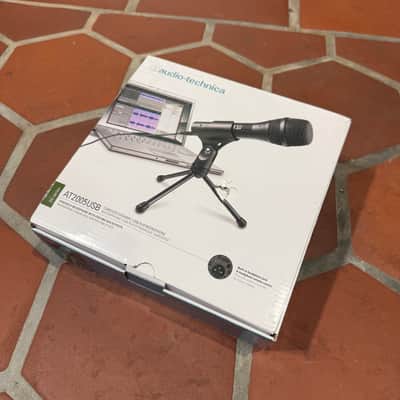
Audio-Technica AT2020 USB+
USB Condenser Microphone · Cardioid, USB 2.0, Phantom Power support, XLR output$90–$130 usedBest for: Studio quality, musicians streaming, content creators stepping up
The Audio-Technica AT2020 USB+ is the professional-leaning compact — sealed enclosure (no rear port) so it can sit directly on a bookshelf or desktop, 5-inch woofer with neutral response, and 50W power. Used T5V at $130–$200 undercuts KRK and Yamaha. Professional studios use Adam for critical mixing; this model scales that down to bedroom size.
What to check used: Professional-grade internals mean it is more sensitive to RF interference and room noise than consumer mics. Place it away from wireless router and phone. Room treatment (acoustic panels) helps this mic shine.
#7
Blue Snowball iCE
USB Condenser Microphone · Cardioid, USB 2.0, spherical design, budget-focused$35–$55 usedBest for: First-time streamers, absolute budget option, beginner podcasters
The Blue Snowball iCE is Blue's budget entry point — spherical design sits on desk or attaches to boom arm, USB plug-and-play, and cardioid pattern handles basic streaming. At $35–$55 used, it is the cheapest option on this list that actually works. Not a broadcast-quality mic, but good enough for casual streaming, Discord calls, and YouTube gaming content.
What to check used: Condensed internals mean less isolation than larger mics — fan noise and room echo are more noticeable. Best used with a pop filter and in a treated room. Microphone gain is fixed on the iCE model (no dial).